Installation
Download and Install Charanna Vuapari
Charanna Vyapari is written in the Java programming language and is installed as a portable standalone product.
The binary distribution of Vyapari for different supported platforms are packaged as a ZIP files downloable from the Charanna Vyapari's download page. Download the file for your operating system and save it to your harddisk.
After download, open the ZIP file and extract the contents to a folder of your choice. On windows, extracting to C:\ is recommended but any folder can be used.
Unzipping the distribution file will create a folder called "Charanna\Vyapari\" with the contents of the zip file.
Note that you should select a location that has plenty of disk space available and try to avoid spaces in the full path of the folder. For example, avoid unzipping to "Program Files" under Windows.
Also note that the Vyapari license is Node Locked and will be invalidated if you move the folder in which you have extracted the distribution file.
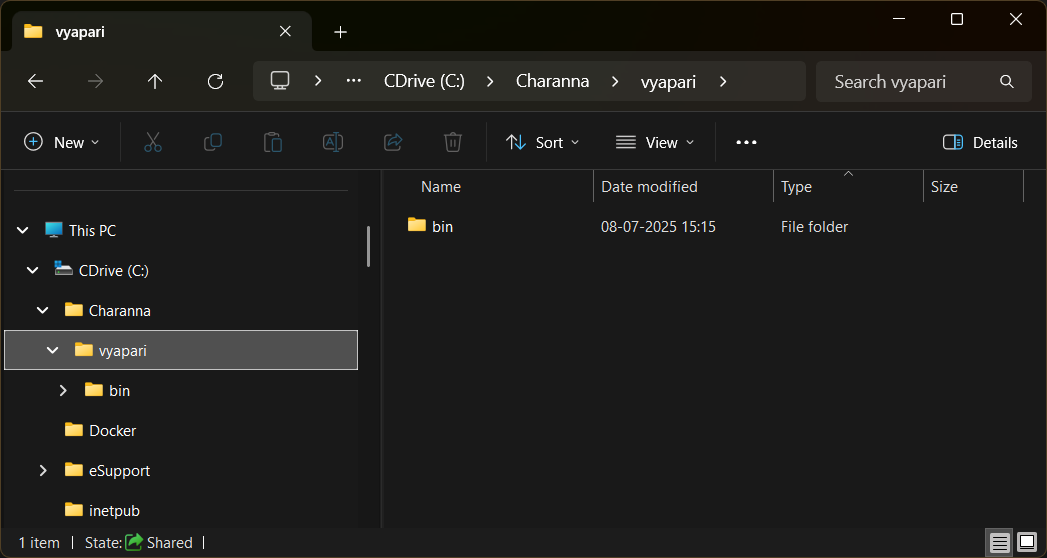
Extracting the ZIP completes the installation process.
Run Vyapari
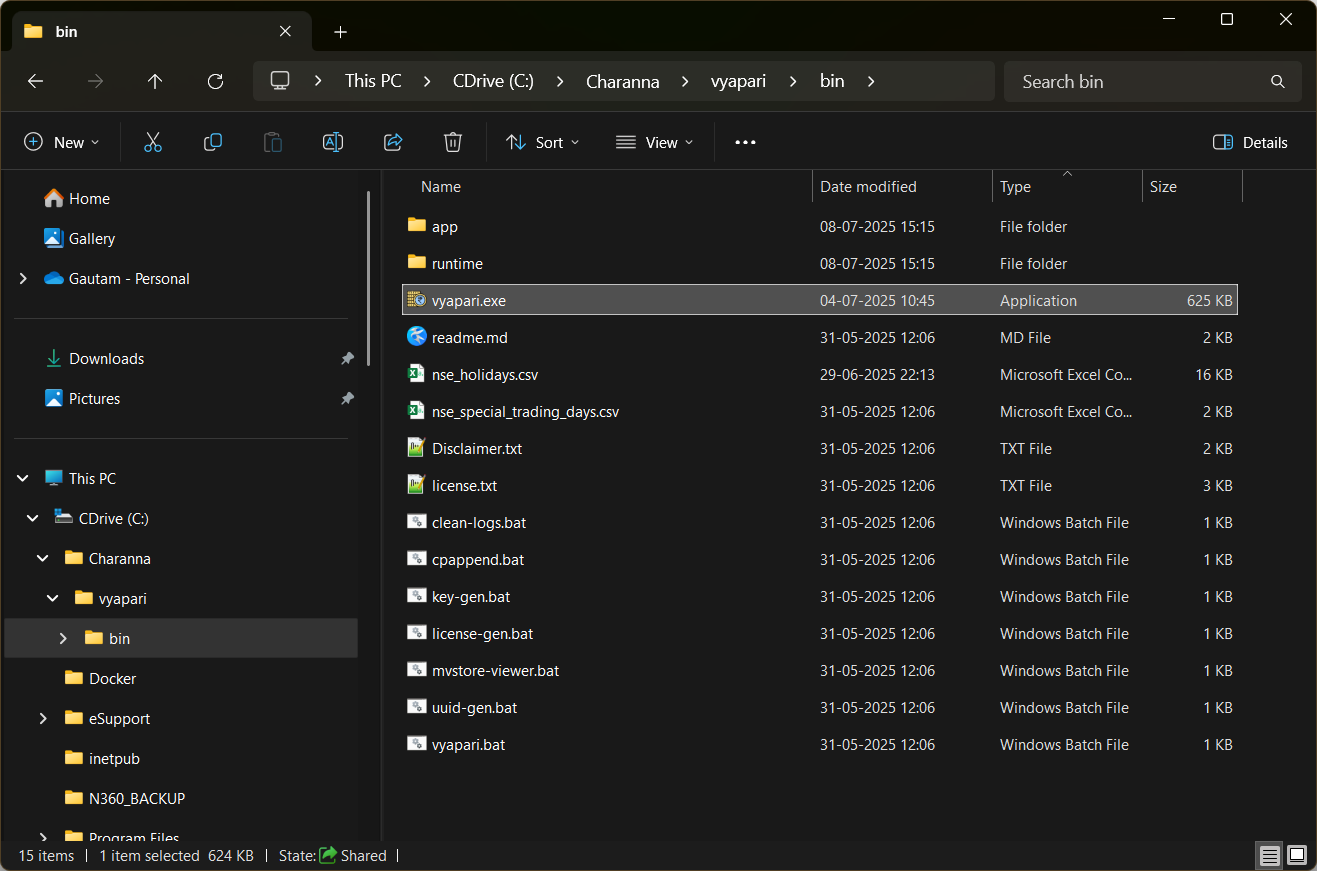
To run Charanna Vyapari, navigate to the <installation-root>\Charanna\Vyapari\bin folder and execute the vyapari.exe file located there.
See License Setup in the next section.