Decimal Transformation Indicator
The Decimal Transformation Indicator is a versatile. It allows you to compute values using other indicators and constants. The indicator has 3 inputs:
- Decimal Tranformation: Plus, Minus, Multiply, Divide, Max, Min, Absolute, Log (Natural), Square Root
- Base Indicator: Any numerical indicator. For example Candle Range
- Coefficient Indicator: ANy numerical indicator. For example, ATR (14)
Lets take an example to understand this better. Lets us say you want to measure the Candle Range against the average true range to judge if the candle exceeds the ATR and by how much. We can achieve this with the Decimal Transformation Indicator by using Candle Range as the base indicator, Average True Range (14) (or any other ATR length) as the coefficient indicator and Divde as the Decimal Transformation. This would give us:
Range by ATR = Candle Range / ATR (14)
as the result of the indicator for each candle.
Note: For use in charts - The decimal Transformation Indicator's result might be meant for the main chart or a sub plot. You can control this via the Overlay setting - when false, the indicator will be plotted in its own sub plot.
Supported Operations:
A = Base Indicator
B = Coefficient Indicator
- Plus: Add the base indicator value with the coefficient indicator's value (A + B)
- Minus: Subtract the coefficient indicator's value from the base indicator value (A - B)
- Multiple: Multiply the base indicator's value with the coefficient indicator's value (A * B)
- Divide: Divide the base indicator's value with the coefficient indicator's value (A / B)
- Max: Return the larger (maximum) of the base indicator's value and the coefficient indicator's value ( Max( A, B ) )
- Min: Return the smaller (minimum) of the base indicator's value and the coefficient indicator's value ( Min( A, B ) )
- Abs: The absolute value of the base indicator's value. The coefficient indicator is not used. ( ABS( A ) )
- Log: Return the Natural Logarithm of the base indicator's value. The coefficient indicator is not used. ( Ln( A ) )
- Sqr: Return the Square Root of the base indicator's value. The coefficient indicator is not used. ( Sqr( A ) )
Usage
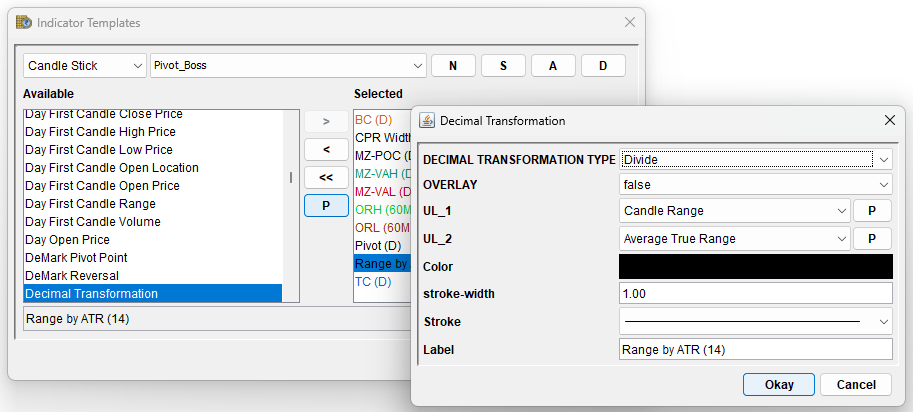
The screenshot above shows the Decimal Transformation Indicator's property dialog.
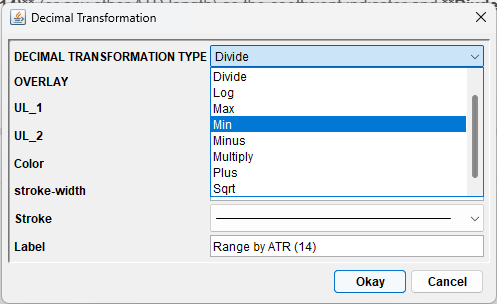
The screenshot above shows the drop down of supported Decimal Transformations.
Notes
There is no limit on the depth of indcators that can be used with a Decimal Transformation Indicator. For example, let us say you want to compute the width of the Money Zone as a percentage using the following formula:
Money Zone Width % = ( (Money Zone High - Money Zone Low) / Money Zone POC) * 100
This can be broken down as multiple decimal transform indicators:
-
- Minus: A = Money Zone High - Money Zone Low
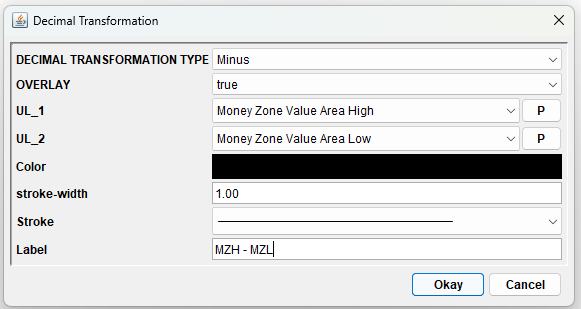
- Minus: A = Money Zone High - Money Zone Low
-
- Divide: B = A / MZ-POC
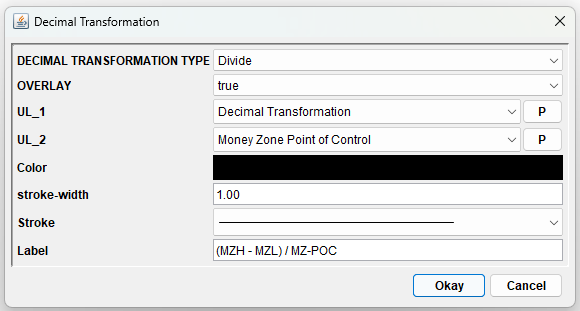
- Divide: B = A / MZ-POC
-
- Multiple: C = B * 100
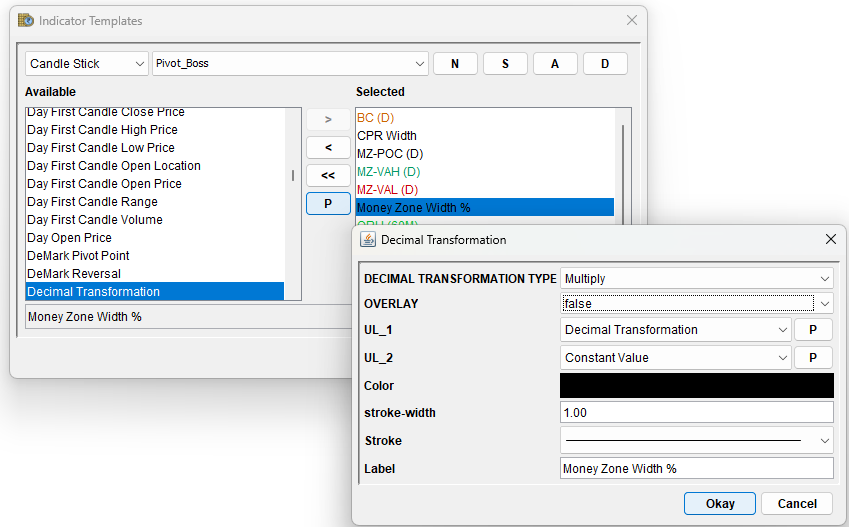
- Multiple: C = B * 100
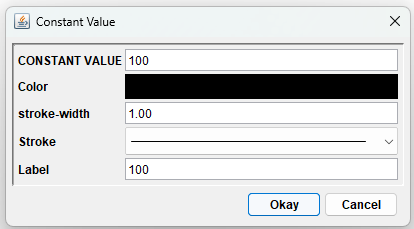
where we use the Constant Indicator for the number 100.